Running locally
This is a brief tutorial on running a couple of monorepo applications locally.
By the end of this guide you'll have a couple of apps running locally, and be able to access the frontend in your web browser.
Seed data
All system state is sourced from Kafka events. The system can be preseeded with data by replaying events into a topic in a local broker.
Start the broker
For local development, we use Redpanda as the message broker. Redpanda should have been installed by the install-deps script that you ran in a previous guide.
Start Redpanda:
sudo systemctl start redpanda
Replay seed data
All seed datasets exist under the datasets directory in the monorepo.
You can reset the local system state very quickly by using the command pnpm reset-data. This will delete and recreate the required topics and replay data from a dataset directory.
pnpm reset-data
By default, this uses the dataset called
dev.
Start commands
Every app has a start command defined in the scripts block of the package.json file. All start commands are prefixed with start:.
After the pnpm reset-data command is complete, in separate terminals, start the websocket-server and frontend apps. (You can run these commands at the same time.)
Terminal 1
pnpm start:websocket-server
You'll see a line that says something like Listening for WebSocket connections on 0.0.0.0:9000. This is printed once all data has been replayed from Kafka.
Terminal 2
pnpm start:frontend
You'll see a line that says something like Listening on port 3000. Once you see this, the frontend is ready.
Accessing the frontend
By default, the web frontend runs on port 3000, and the websocket server runs on port 9000.
You'll need to forward ports from the Mac to the virtual machine. You can do this from within Parallels by opening the configuration dialogue for the virtual machine, going to Hardware, Network, Advanced..., then adding the ports under Port forwarding rules.
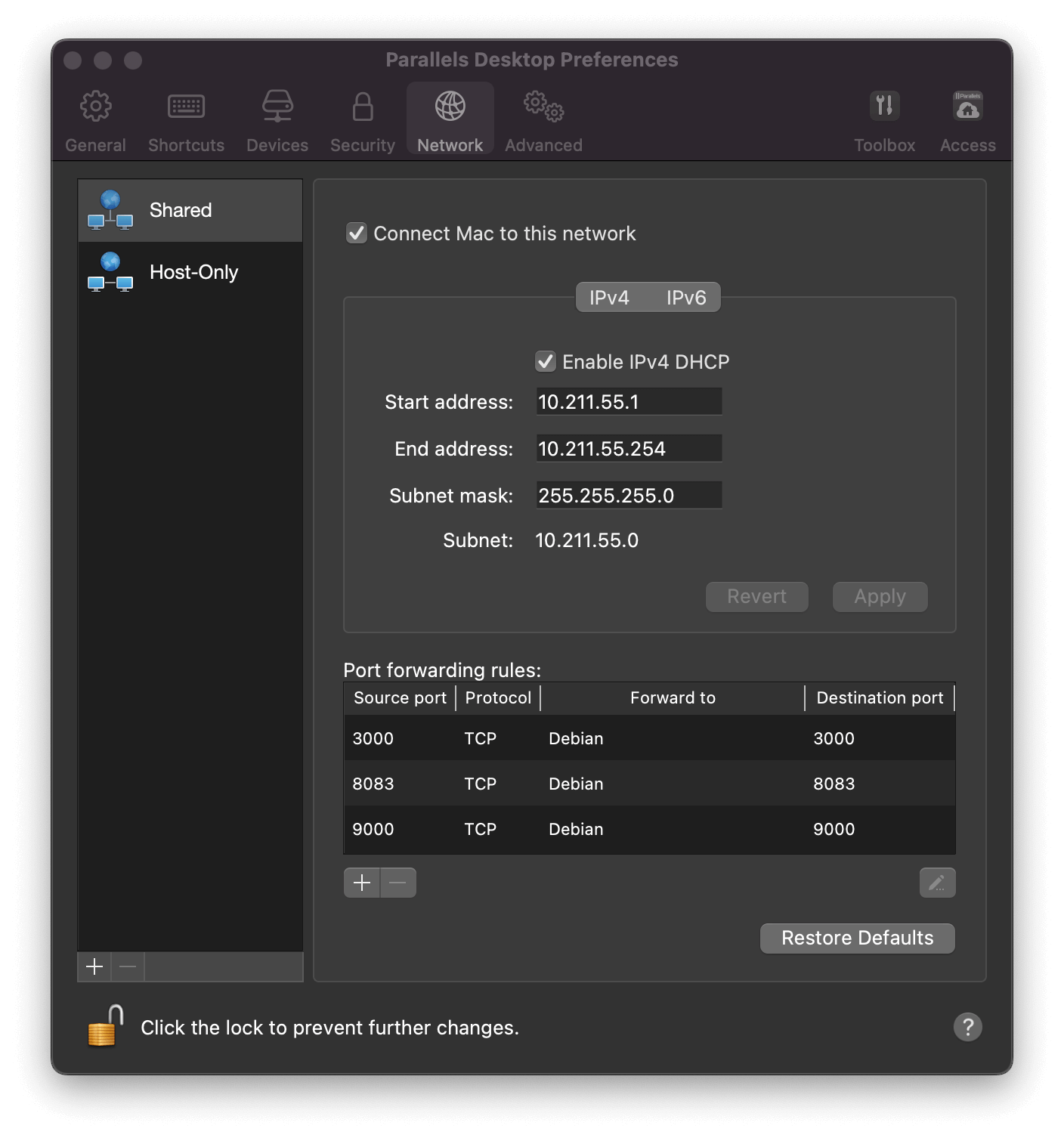
To access the frontend, open a browser window and navigate to http://localhost:3000/.
Next steps
Next, you could try making a commit and submitting a merge request.