Reports Infrastructure
Overview on reports
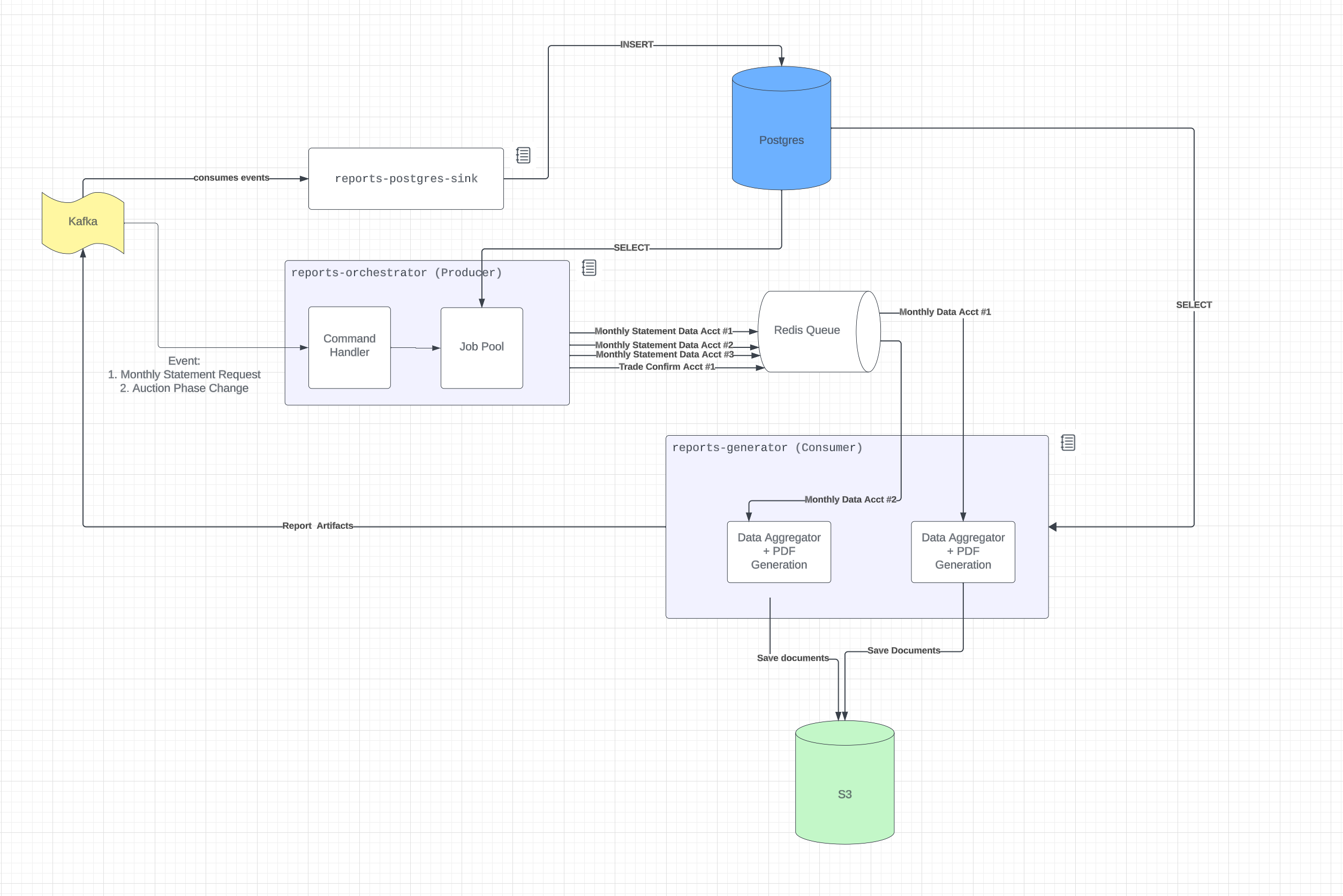 Reports is made up of three components
- reports-postgres-sink
- reports-orchestrator
- reports-generator
reports-postgres-sink
Postgres sink reads the model data from the queue and inserts it into the postgres database. This component ONLY does inserts into postgres and nothing else. This is the only component that inserts records into postgres.
It uses a custom consumer based off the SDL consumer because SDL consumer enforces all the required fields in the message. However, all historical messsages may not have this new field and will fail when trying to validate the data. Postgres sink collects the data until the dataset reaches a number of records or a specific time has passed.
There is a table called latest_inserted_offset that keeps track of the offset value to remember what was the last inserted record.
The models that are inserted in the database is defined by SDL. In order for a model to not be consumed, no_db will be a decorator for the model.
The entry point for reports-postgres-sink is apps/reports/src/postgres-sink.ts.
reports-orchestrator
The orchestrator reads commands from the queue and either passes the command as a job into the redis queue or breaks up a big command such as GenerateTransactionDocuments into individual commands for each account. Scheduled jobs, such as recon report daily run, surveillance report, and atsr report, are created in the orchestrator. This component does read from postgres.
The entry point for reports-orchestrator apps/reports/src/orchestrator.ts
The following diagram shows the behavior between the orchestrator and the generator. 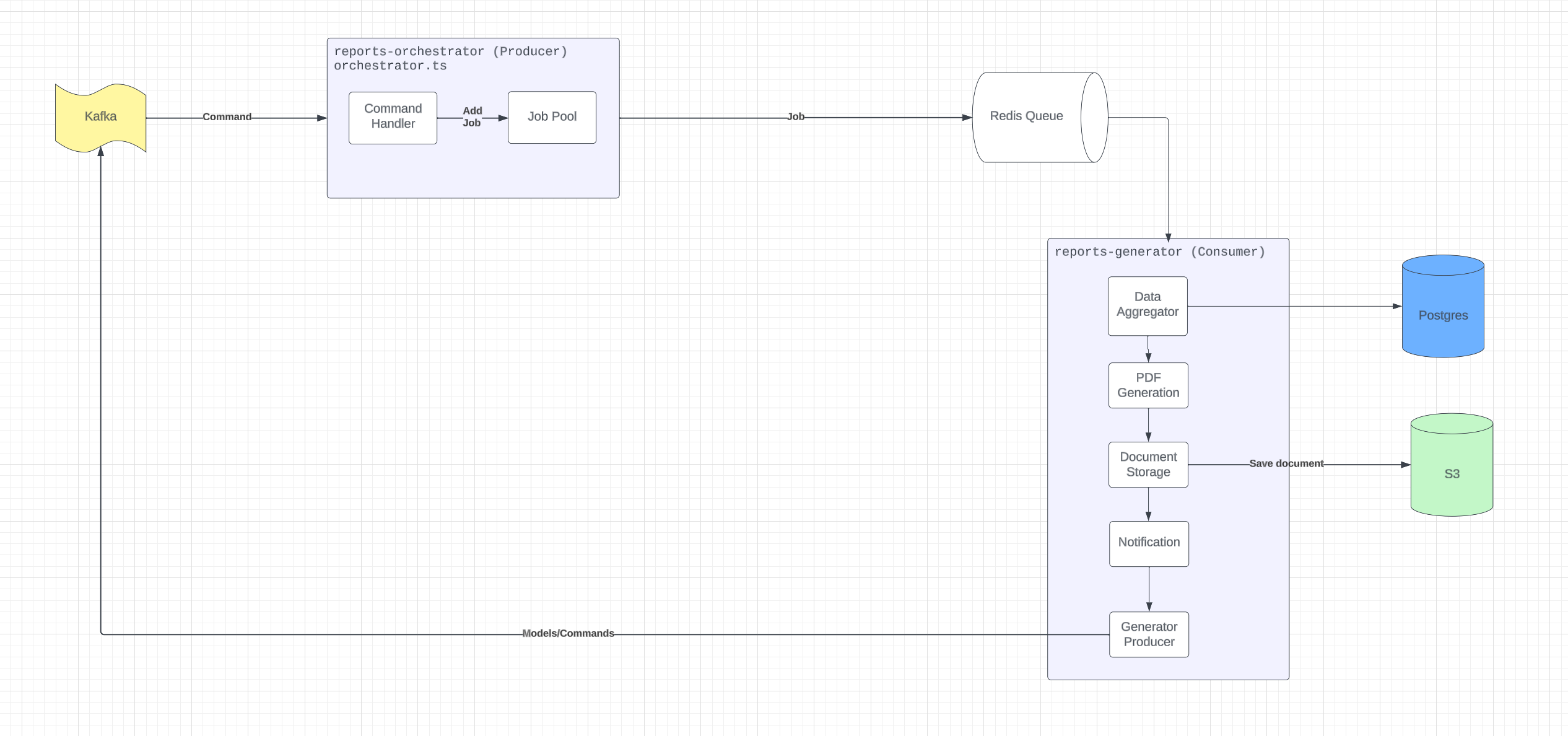
reports-generator
The generator does the following actions when it takes a job off the queue
- Data Aggregator
- Document Generator
- Document Storage
- Notification
Data Aggregator
All the data aggregator files for each report can be found in apps/reports/src/data-getter. The data is gathered from postgres.
Document generator
All the document generator for all reports can be found in apps/reports/src/generator/handlers/index.ts. Depending on the report, it could be a pdf, a zip file, or a csv.
All pdfs gets generated by
- Rendering the HTML with values from the data aggregator using nunjucks
- Use weasyprint to save the HTML into a PDF
Document Storage
Once the document is created, the document is passed in to storeDocument. Function can be found in apps/reports/src/storage/index.ts. This connects to S3 and stores the document directly
Notification
Each report may have a notification that needs to be sent. These notifications are commands/models that are published onto the queue using the generator producer. All notifications can be found in apps/reports/src/notification.ts